Soundwaveart.com vs WaveVisual vs Shimga (Oct 2026)
Soundwaveart.com vs WaveVisual vs Shimga (Oct 2026)
Short answer: soundwaveart.com is a company that sells finished Soundwave Art pieces with an optional add-on that lets its iOS app play the audio back; WaveVisual is a browser generator with images, animated video and QR codes from $9 per design; Shimga is a browser generator focused on print files, from $3.99 per design. Pick soundwaveart.com if you want a finished product with scan-to-play, WaveVisual if you need video or a QR code on the art, and Shimga if you want a low-cost, print-ready file and privacy for personal recordings.
All competitor details below come from their public websites and app listings, checked on 28 October 2026. Prices and features change, so confirm at checkout.
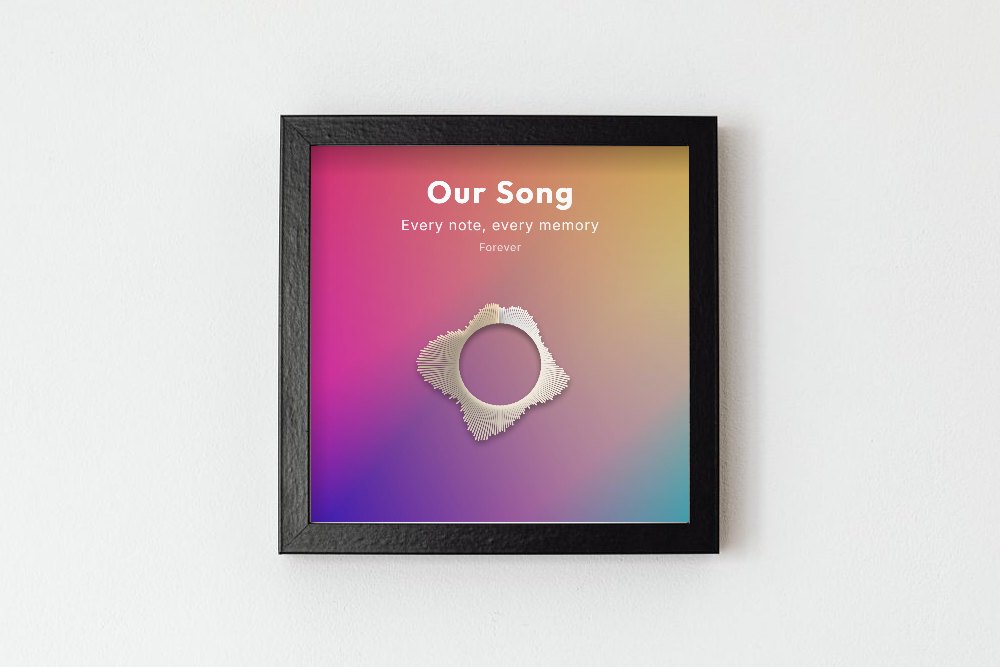 Photo: Kaboompics on Pexels. Square wave art made in the Shimga editor and placed in the frame.
Key facts
- Shimga: design and preview free; clean downloads $3.99 per design, $9.99 for 3, $24 for 10, $59 for 50 credits (valid one year), or 10 a month with Shimga Pro (from $5 a month). PNG, JPG, SVG, PDF. Audio decoded in the browser, not uploaded.
- WaveVisual: $9.00 per design (300 DPI, link and QR code to your audio, all formats, commercial licence), an Unlimited subscription shown at $29 a month or $14 a month on the annual option, or 100 credits for $39. Image and video formats.
- Soundwaveart.com: run by Soundwave Art, LLC. Its free iOS app scans official pieces that include the "Soundwave Media" package and plays the audio. Its prices are listed per piece on its own site.
Side-by-side comparison
| Shimga | WaveVisual | Soundwaveart.com | |
|---|---|---|---|
| What you get | Digital print file you design | Digital file you design | Finished Soundwave Art pieces |
| Price for one design | $3.99 | $9.00 | Priced per finished piece on their site |
| Packs or credits | 3 for $9.99, 10 for $24, 50 for $59 | 100 credits for $39; larger tiers listed | — |
| Subscription | Shimga Pro includes 10 downloads a month | Unlimited plan with fair-use limits | — |
| Image formats | PNG, JPG, SVG, PDF | PNG (incl. transparent), JPG, SVG, PDF | Finished artwork rather than a file |
| Max size | Print presets to 24x36 in at 300 DPI; custom up to 12000 px | Up to 12,000 px wide at 300 DPI | — |
| Video | Separate tool: Shimga Studio (MP4) | MP4, GIF, WebM, MOV with alpha from the same editor | — |
| QR code / playback | No | Link and QR code to your audio | Scan-to-play via iOS app with Soundwave Media package |
| Audio sources | Upload, microphone, sample | Upload, microphone, song search, Spotify link | — |
| Account to design | No | No | — |
| Where audio is processed | In your browser, not uploaded | Not stated on its site | — |
A dash means the company does not list that detail on its public pages.
Shimga in more detail
Shimga's sound wave art generator is a browser editor. You upload a file or record, pick the segment, choose from 12 styles, add text in 12 fonts, use one of the occasion or photo layouts, and export at 300 DPI print sizes (A4, A3, A2, US Letter, 8x10, 11x14, 12x16, 16x20, 18x24, 24x36, 12x12) or digital sizes. Designing and previewing are free. Downloads are paid; you sign in to buy, and once you have bought a design, downloading it again in another format costs nothing extra.
Good fit if: you want the lowest price per clean file, you care about keeping a voicemail or heartbeat recording on your own device, or you want SVG or PDF for a print shop.
Not a fit if: you need a QR code that plays the audio, a transparent PNG, or an animated version of the same design in one editor.
WaveVisual in more detail
According to its website on 28 October 2026, WaveVisual lets you design without signing up and requires a purchase to download. You can upload WAV, MP3, M4A, AIF, AIFF, FLAC, ALAC or OGG files, record with a microphone, search for a song or paste a Spotify track link; YouTube links are not supported. Designs include a link and QR code back to your audio. Video exports are MP4, WebM and MOV at 1080p and 60 fps, plus GIF; only the wave animates, and video works only with uploaded audio, not Spotify tracks. The site says designs can be edited for three days after purchase and downloaded as often as you like.
Good fit if: you want a QR code on the print, an animated version, a transparent PNG or a commercial licence included in the single price.
We also keep a dedicated page: WaveVisual alternative.
Soundwaveart.com in more detail
Soundwave Art, LLC describes its iOS app as built "for customers of soundwaveart.com". The App Store listing (checked 28 October 2026) says the app analyses an official Soundwave Art piece and plays back the audio or video used to create it, requires the Soundwave Media package added to the artwork, will not work with other sound wave patterns, and needs iOS 13 or later. The app itself is free.
Good fit if: you want a finished piece from a single company and like the idea of scanning it to hear the recording.
 Photo: George Milton on Pexels
Is WaveVisual free? Is there a free option?
WaveVisual's site says you can design without signing up and that a purchase is required to download; we did not see a free download tier on its pricing page on 28 October 2026. Shimga is similar: design and preview free, clean downloads paid, no free download. See free vs paid sound wave art generators for a buyer's checklist.
How to decide in one minute
- Need scan-to-play from the physical piece? Soundwaveart.com.
- Need a QR code, video or transparent PNG from the same editor? WaveVisual.
- Want the lowest price for a clean print file, with the audio kept on your device? Shimga.
- Want a video as well, but a cheap print? Shimga for the print, Shimga Studio for the MP4. See the sound wave animation generator guide.
FAQ
What is soundwaveart.com? It is the website of Soundwave Art, LLC, which sells Soundwave Art pieces. Its iOS app plays back the audio of official pieces that include the Soundwave Media package.
Is WaveVisual free? You can design for free, but downloading requires a purchase, according to its website on 28 October 2026. A single design is $9.00.
What is a good WaveVisual alternative? Shimga is one. It costs $3.99 per clean design and keeps audio in your browser, but it does not add QR codes or make video from the wave-art editor.
Which is cheapest for one print file? Of the prices we could verify on 28 October 2026, Shimga at $3.99 per design. WaveVisual is $9.00 per design, which includes extras such as a QR code and a commercial licence.
Can I print the file anywhere? With Shimga, yes: download a JPG or PDF at your frame size and take it to any print shop.
Will these prices change? They can. Always check the current price before you pay.
Try Shimga
Upload your audio in the Shimga editor and preview it free. For a full feature tour, read the complete sound wave art generator guide.
Last updated: October 2026