Free vs Paid Sound Wave Art Generators: What You Get
Free vs Paid Sound Wave Art Generators: What You Get
Most sound wave art generators are free to try and paid to download: you can design and preview without paying, but a clean, full-resolution, watermark-free file costs money. What you pay for is print resolution, extra formats such as SVG and PDF, no watermark and sometimes a commercial licence. Shimga follows this model: designing and previewing are free, and a clean download costs $3.99 per design, $9.99 for three, $24 for ten or $59 for 50 credits, or comes with Shimga Pro (10 a month, from $5 a month). There is no free download.
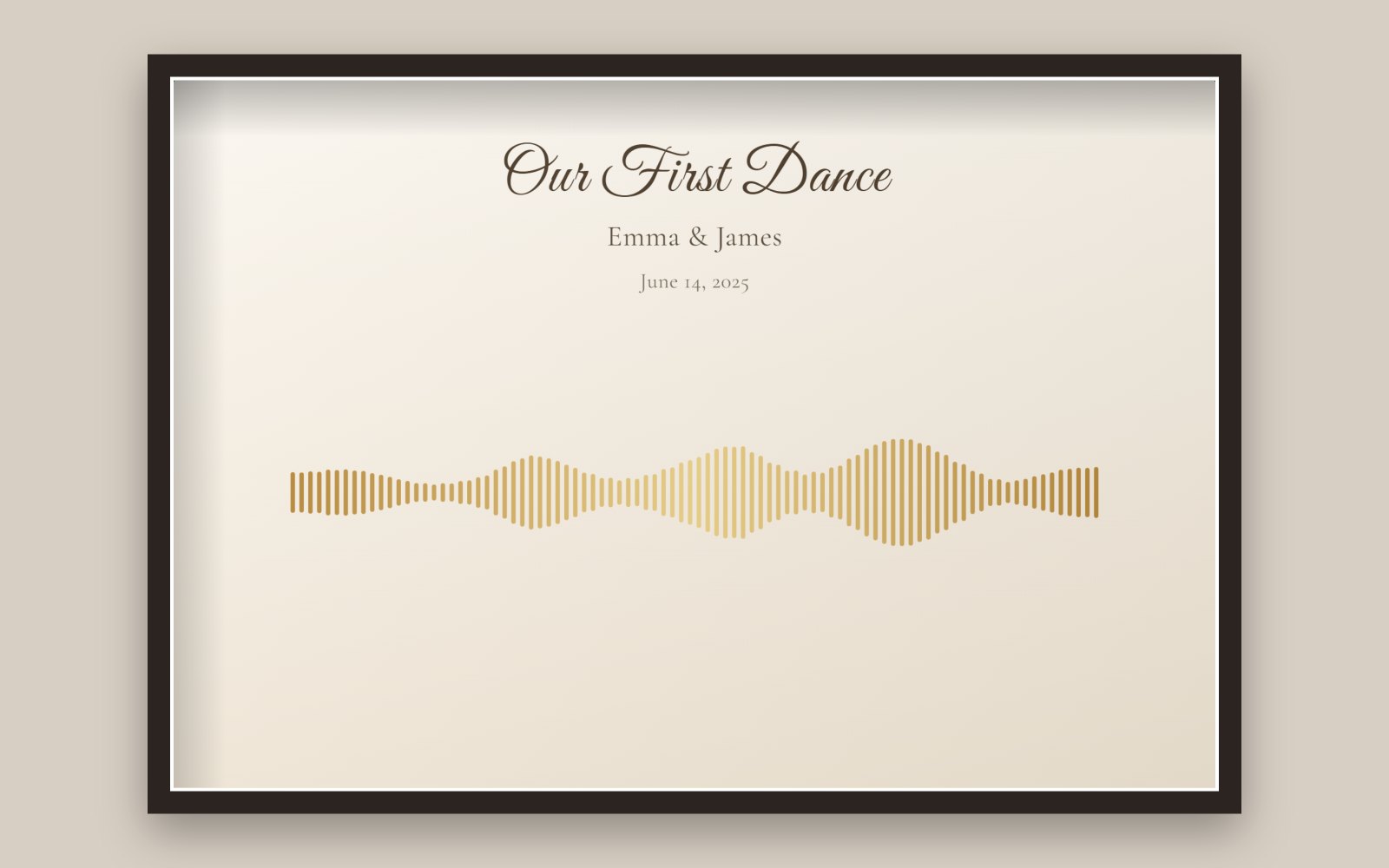 A landscape design made in the Shimga editor with the "Wedding first dance" layout and example audio.
Key facts
- "Free" usually means free to design, with a watermark on the preview or a small, low-resolution file.
- Print needs about 300 pixels per inch: an 8x10 in print needs 2400 x 3000 pixels.
- SVG and PDF are the formats print shops like for large sizes.
- Commercial use depends on the tool's licence and on your rights to the audio.
- Privacy: some tools draw the wave in your browser; others upload your audio.
What every generator does
You add audio. The tool measures how loud it is over time and draws that as bars, a line, dots or a shape. You choose colours, background and text, then export. The differences are in everything around that core.
The things that usually differ
1. Watermarks. Free previews often carry the tool's name. Fine for checking a design, not for a gift. Make sure the paid file is clean.
2. Resolution. A file that looks sharp on a phone can be blurry at A3. Check the maximum export size. See best sizes for sound wave prints.
3. File formats. PNG and JPG suit most prints. SVG scales to any size. PDF is often preferred by print shops.
4. Customisation. Number of styles, fonts, gradients, photo backgrounds and layouts.
5. Commercial use. Selling prints needs a licence from the tool and rights to the audio. You cannot sell prints of someone else's song just because the tool allows commercial use.
6. Privacy. A voicemail from someone you have lost deserves care. Find out whether the audio is processed on your device or uploaded and stored.
7. Account and checkout. Can you design before signing up? Is the full price shown before checkout, in your currency?
8. Re-downloads and refunds. Can you get another format later? What happens if the file is wrong?
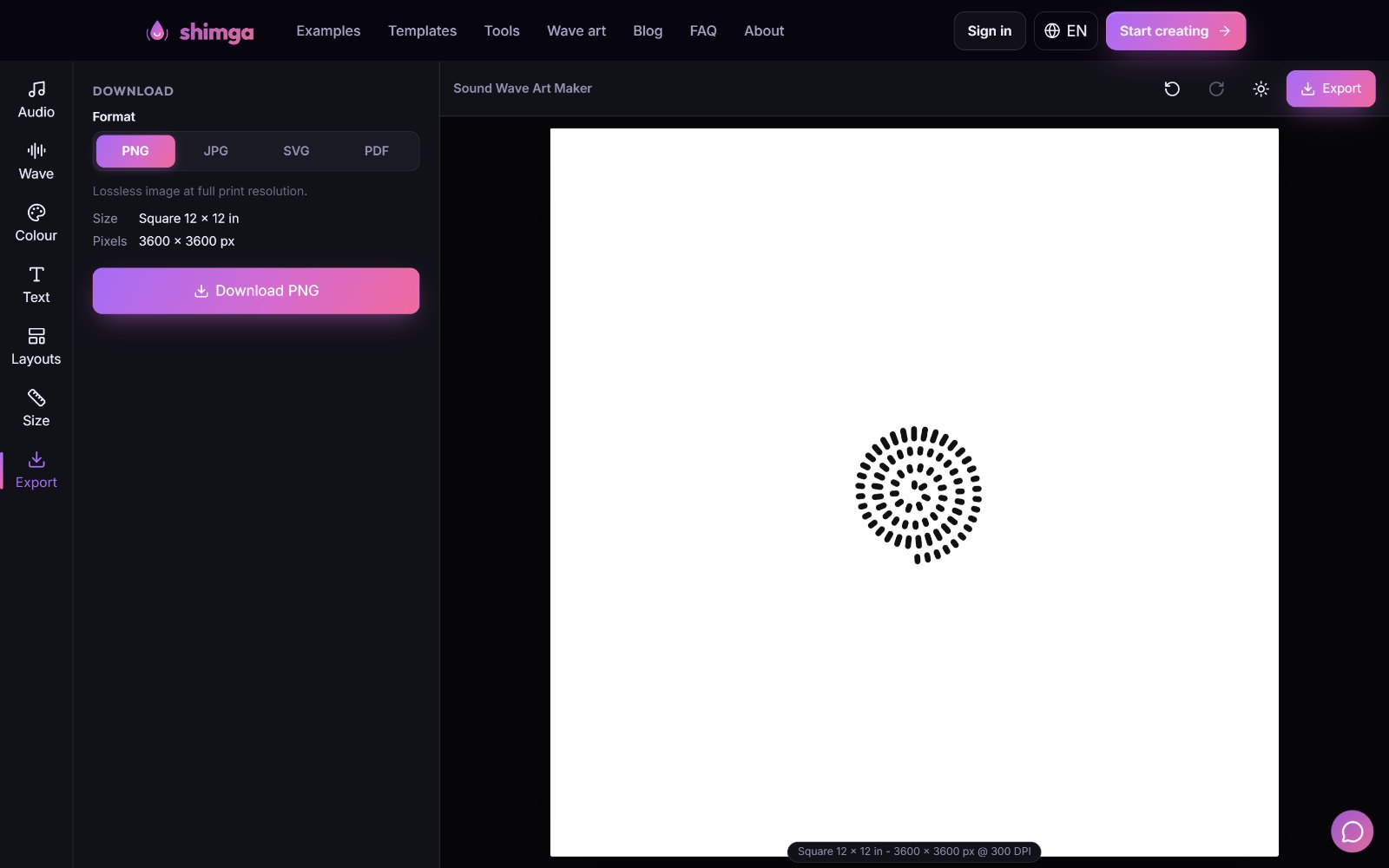 In Shimga the Export tab shows the format, print size and pixels before you pay.
Common pricing models
| Model | How it works | Suits |
|---|---|---|
| Free preview, paid download | Design free, pay for the clean file | One-off gifts |
| Pay per design | Flat price per finished design | One or two prints |
| Credit packs | Buy several downloads up front | Families, small shops |
| Subscription | Monthly fee for many downloads | Regular makers |
| Printed products | The site prints and ships | One-stop gifts, at a markup |
For context, WaveVisual's website on 28 October 2026 listed $9.00 per design, 100 credits for $39 and an Unlimited subscription with fair-use limits; it says a purchase is required to download. See our Soundwaveart.com vs WaveVisual vs Shimga comparison and the WaveVisual alternative page.
Shimga's pricing, exactly
| What | Price |
|---|---|
| Design, preview, try every style, layout and size | Free |
| 1 clean design | $3.99 |
| 3 designs | $9.99 |
| 10 designs | $24 |
| 50 credits | $59 (valid for a year) |
| Shimga Pro | From $5 a month; includes 10 wave-art downloads a month plus studio features |
Each clean design downloads in PNG, JPG, SVG or PDF, and once you have bought a design, downloading it again in another format costs nothing extra. You sign in to buy. The audio is decoded in your browser and not uploaded.
When is "free" enough?
- You want to see what your audio looks like.
- You are deciding between styles or sounds before you buy.
- You want to show someone a preview before ordering.
When is it worth paying?
- The print is a gift and a watermark would spoil it.
- You need a large, print-ready file or SVG/PDF.
- You are making several prints for family.
- You need a commercial licence (check the tool's terms and your audio rights).
 Photo: Max Fischer on Pexels
What does a print really cost?
The download is only part of the cost of a finished piece. For a single 8x10 in gift you will usually pay for:
- The design file: $3.99 in Shimga for one clean design.
- Printing: a local print shop, an online printing service or a home printer with good matte paper.
- A frame: a standard 8x10 or 11x14 frame with a mat is easy to find.
Because the file is yours, you can print it again later, at another size, or in more copies for family, without paying for the design again.
A buyer's checklist
- Does the preview show exactly what I will get?
- What is the total price, including tax and currency?
- Which formats and what maximum size?
- Is the paid file watermark-free?
- Can I use it commercially, if I need to?
- Where is my audio processed and stored?
- Can I re-download or get another format later?
- What is the refund policy? (Shimga's is at /refund-policy.)
FAQ
Is there a completely free sound wave art generator? Some tools offer free low-resolution or watermarked files. In Shimga, designing and previewing are free, but there is no free download; a clean file starts at $3.99.
Is there a free alternative to WaveVisual? No tool we know of gives the same features free. Shimga is a lower-cost alternative for print files at $3.99 per design versus WaveVisual's $9.00 (prices checked 28 October 2026). WaveVisual includes extras such as QR codes and video.
Why do generators charge for downloads? Rendering print-resolution files, hosting, payments and support cost money, and the free preview lets you check the result before you pay.
Do I need a subscription for one gift? No. A single design at $3.99 covers it. Subscriptions suit people who make many designs.
What is included with Shimga Pro? Ten clean wave-art downloads a month, along with Shimga Studio's Pro features for visualizer videos.
Can I try every style before paying? Yes. All 12 styles, every layout and every size can be previewed free.
The honest summary
Free previews are perfect for trying ideas. Paying makes sense when you need a clean, large, print-ready file. Use the checklist, preview first, and pay only for what you will use. Start in the Shimga editor, or read what is free and the complete guide.
Last updated: October 2026