Soundwave Art App vs Web Generator: Which to Use?
Soundwave Art App vs Web Generator: Which to Use?
For most people a browser-based soundwave art generator is the better choice: nothing to install, it works on phones and computers, and it exports print-resolution files. A native app makes sense if it does something a browser cannot, such as scanning a printed piece to play back its audio. Shimga's sound wave art editor runs in any modern browser, reads your audio on your device, and exports PNG, JPG, SVG or PDF at 300 DPI. Designing is free; clean downloads start at $3.99.
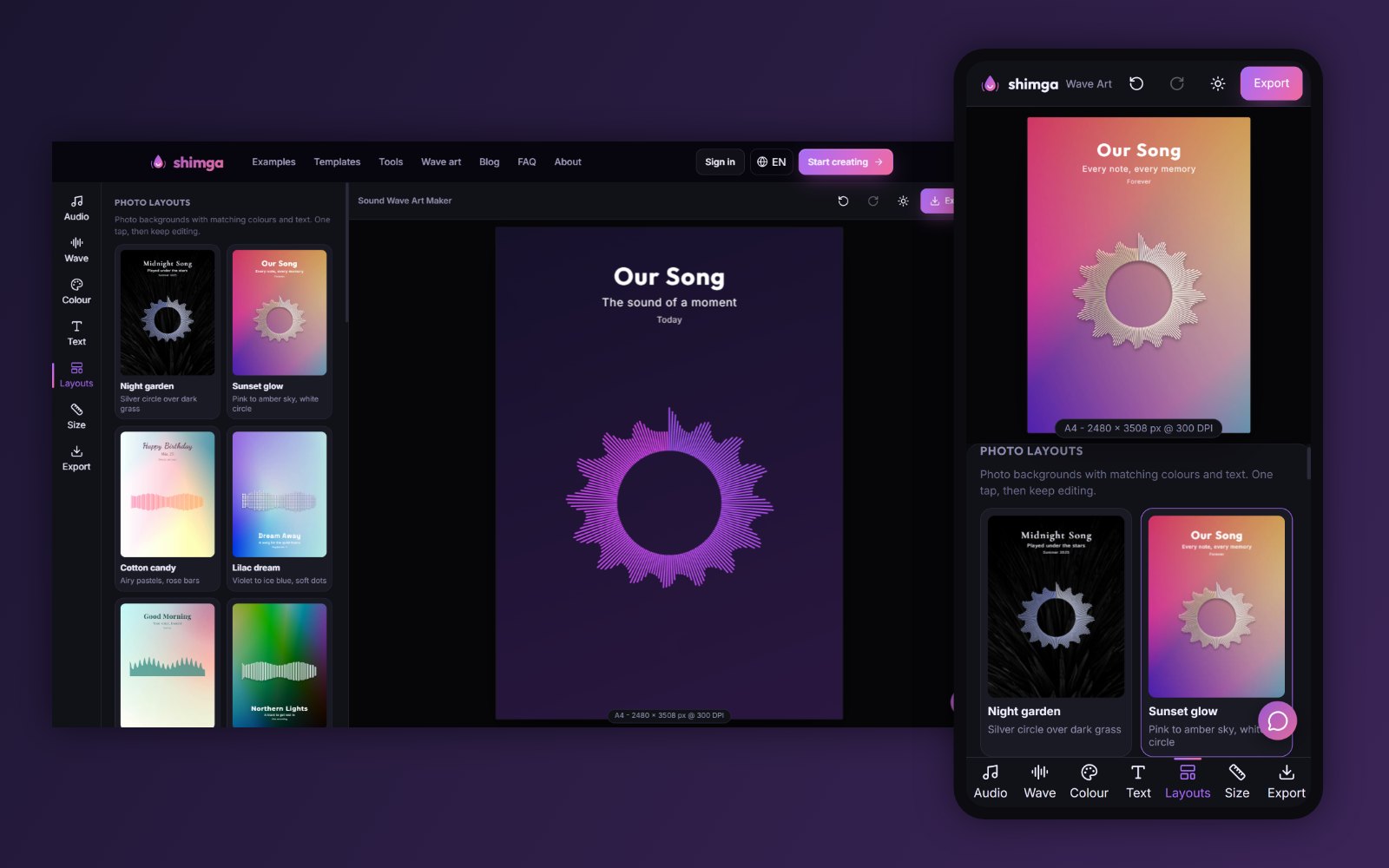 The same Shimga editor on desktop and on a phone browser.
Key facts
- Web generators run in Safari, Chrome, Edge or Firefox; no app store, no install, no updates to manage.
- Native apps live on one device and can use features like the camera for scanning or offline use.
- Print resolution: check the maximum export size either way. Prints need about 300 pixels per inch.
- Phones have memory limits. In Shimga, phones export up to about 16 megapixels and 8192 px per side for raster files; computers go up to 80 megapixels and 12000 px. SVG has no limit.
- Privacy: Shimga decodes audio in the browser and does not upload it.
App vs web at a glance
| Browser generator | Native app | |
|---|---|---|
| Install | None | App store download |
| Devices | Phone, tablet, computer | Usually one platform |
| Start time | Open a link | Install, open, often sign up |
| Large print files | Easier on a computer | Limited by phone memory |
| File formats | Often PNG, JPG, SVG, PDF | Varies; often image only |
| Camera features (scan to play) | Limited | Possible |
| Updates | Automatic | Through the app store |
A real example of an app that does something different
Soundwave Art, LLC publishes a free iOS app called Soundwave Art. According to its App Store listing (checked 28 October 2026), the app scans official artwork created at soundwaveart.com that includes the "Soundwave Media" package, then plays back the audio. The listing says it will not work with other sound wave patterns, and it requires iOS 13 or later. That is a good use of a native app: it needs the camera and a link to the company's own products.
If you just want to design a sound wave image and print it, you do not need that kind of feature, and a browser tool is simpler.
How to make soundwave art on your phone with Shimga
- Open shimga.app/sound-wave-art-generator/create in your phone's browser.
- Tap Audio, then Upload to choose a file from Files or your downloads, or Record to capture a voice.
- Drag Start and End to pick the moment. Tap Play segment to hear it.
- Tap Layouts for one-tap designs, or Wave to choose from 12 styles.
- Tap Text for the title, subtitle and date.
- Tap Size, pick the frame size and orientation, and check the print maths.
- Tap Export, choose the format and download. The preview is free; a clean file is paid.
If you are making a large print (16x20 in and above), consider finishing on a computer or exporting SVG, because phone browsers cap very large raster images.
 Photo: Vitaly Gariev on Pexels
Getting audio onto your phone
- Voice notes: long-press in WhatsApp or Telegram and choose Share or Save to Files.
- Voicemail: on iPhone, open the voicemail and tap Share. On Android, look for Save or Share in your voicemail app.
- Songs: use a file you own. Streaming apps do not give you the audio file.
- Video: extract the sound with the video to audio tool, which also runs in the browser.
The voice recording to personalised artwork guide has more detail.
What to check before you use any soundwave art app
- What does the download cost, and is there a watermark on the paid file?
- What is the maximum resolution? Will it print sharply at your frame size?
- Which formats? SVG and PDF help with large prints.
- Where is the audio processed? On your device, or uploaded to a server?
- Can you re-download in another format later?
- Does it need an account before you can try it?
In Shimga: from $3.99 per clean design; 300 DPI print presets up to 24x36 in; PNG, JPG, SVG and PDF; audio stays on your device; a design you have bought can be downloaded again in another format at no extra cost; you can design without an account and sign in only to buy.
Phone or computer for the final file?
You can do the whole job on a phone. A few situations favour finishing on a computer:
- Poster sizes (16x20 in and up) as PNG, JPG or PDF, because phone browsers cap very large images.
- Fine typography, where a bigger screen makes spacing easier to judge.
- Sending to a print shop that wants files by email or upload from a desktop.
A simple approach: choose the audio and design on your phone, then open the editor on a computer, load the same file and export the final size there. Note the style, colours and text you chose so you can match them.
When an app might suit you better
- You want to scan a printed piece and hear the audio (only works with that company's products).
- You make designs offline often.
- You prefer an app store purchase flow.
When the web is better
- You want to start right now from a link.
- You switch between phone and computer.
- You need a large, print-ready file.
- You do not want another app on your phone.
FAQ
Is there a soundwave art app for iPhone? Yes, several, including Soundwave Art's own iOS app, which scans artwork bought from soundwaveart.com. To design new wave art without installing anything, you can use a browser generator like Shimga in Safari.
Can I make soundwave art on Android? Yes. Open the Shimga editor in Chrome or another browser on Android. It works the same way as on a computer.
Is a web generator safe for personal recordings? It depends on the tool. Shimga decodes the audio in your browser and does not upload it. Check the privacy policy of any tool you use. See privacy and local processing.
Will a phone export be sharp enough to print? For common sizes like A4, 8x10 and 11x14, yes. For very large prints, use a computer or export SVG.
Do I need an account? Not to design and preview in Shimga. You sign in to buy a clean download.
Is there a free soundwave art app? Many apps and web tools let you design for free and charge for a clean file. In Shimga, previews are free and clean downloads start at $3.99. See free vs paid generators.
Try it on your phone
Open the sound wave art generator in your browser now. For the full feature tour, read the complete guide.
Last updated: October 2026