Shimga vs Specterr: Which Music Visualizer to Pick
Update, 20 November 2026: Shimga's free exports now go up to 720p at 30 fps with a small "Made with shimga.app" watermark, and Pro elements and templates are included. 1080p to 4K, 60 fps, exports without the watermark and videos over 5 minutes need Shimga Pro or credits. Where this article mentions free 4K or no watermark, it describes the earlier free tier.
Short answer: Shimga renders on your own computer and gives you fine control over how each element reacts to bass, mids and highs; Specterr is a template-driven editor. Choose Shimga if you want that control, local rendering and no waiting in a render queue; consider a template-first cloud tool if you want a quick result and prefer not to use your own hardware. Plans change, so confirm Specterr's current terms on its site.
Last updated 21 October 2026.
Two names come up often when people search for an online music visualizer: Specterr, a template-driven editor, and Shimga, a browser-based visualizer studio. This comparison focuses on what creators usually care about: how the video is rendered, how much control you get over audio reactivity, what happens with watermarks and resolution, privacy, and cost. We deliberately avoid quoting competitor prices or limits, because they change; check specterr.com for the current details.
Photo: Jakub Zerdzicki on Pexels
How do Shimga and Specterr compare at a glance?
| Feature | Shimga | Specterr |
|---|---|---|
| Runs in the browser | Yes, no install | Yes |
| Where the video is rendered | On your own computer (WebCodecs and WebGL) | On the service's servers (cloud) |
| Does your audio leave your device? | No, analysed locally (unless you save a public template with audio) | Uploaded for rendering |
| Build and preview without paying or signing in | Yes; standard exports need no sign-in either | Check Specterr's current plans |
| Watermark | None | Check Specterr's current plans |
| Export resolution | 480p to 4K, 24 to 60 fps, currently without Pro | Check Specterr's current plans |
| Aspect ratios | 16:9, 9:16, 1:1, 4:5, 21:9 and custom sizes | Check Specterr's current plans |
| Audio-reactivity controls | Link numeric settings to bass, mids, highs or overall level; keyframes | Template-based customisation |
| Paid options | Pro: $5/month or $48/year (7-day free trial), $3 for 6 Pro exports, $131 + tax Lifetime | Paid tiers; see Specterr's pricing |
Which renders faster: cloud or local?
Cloud rendering means a service makes the video on its own servers. It spares your computer, but exports can wait in a queue at busy times and you depend on the service's load. Shimga renders locally using WebCodecs and WebGL, so the export starts immediately and its speed depends on your hardware, the resolution and how complex the scene is. At 1080p it is often around the length of the song on a typical machine. Very long videos work best in Chrome or Edge.
Which gives more control over audio reactivity?
Template tools are quick: you choose a look, change colours and publish. In Shimga you can go further. Numeric settings such as size, glow, opacity or rotation can each be linked to the bass, mids, highs or overall level, and you can add keyframes so a chorus looks different from a verse. For example, you can make the background pulse only on the kick while particles react to the hi-hats. See how audio frequencies drive reactivity and keyframe animation for visualizers for how to set this up.
What about watermarks and resolution?
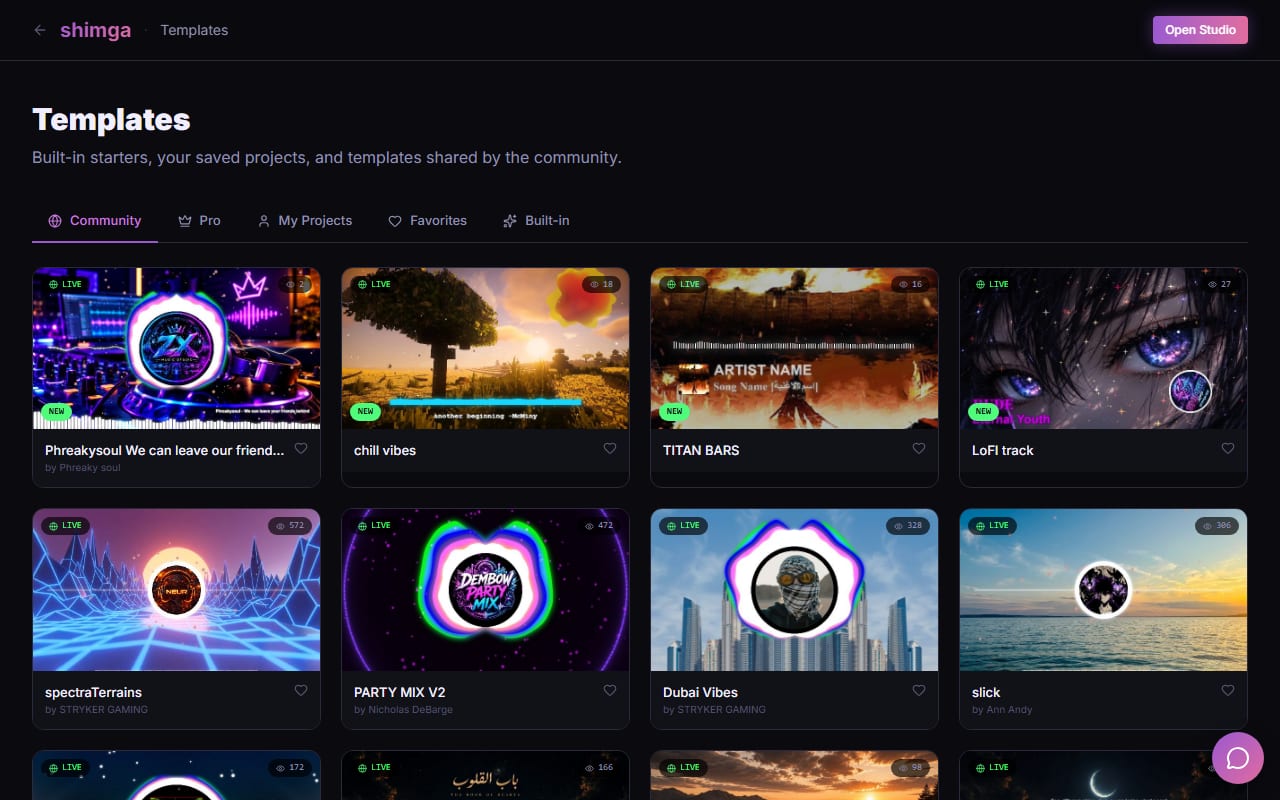
Free and entry-level plans in this category often add a watermark or cap resolution, which is why you should check the output rules of any tool before rendering something release-ready. Shimga's rule is simple. Everything is usable in the editor and preview. At export, standard scenes (currently up to 4K, 24, 30 or 60 fps, up to 5 minutes, no Pro elements) have no watermark and need no payment or sign-in. Videos over 5 minutes, Pro elements and Pro templates need Pro. If you export a Pro scene without paying, you can remove the Pro elements and export.
Screenshot: shimga.app
What about privacy?
If you work on unreleased tracks or demos, where the audio goes matters. Cloud renderers must receive your audio file. Shimga analyses audio in your browser and renders locally; the file only leaves your device if you save a public template that includes it. Read more in privacy and offline usage.
How do the costs compare?
Add up what a year of any subscription costs against what you need. Shimga's Pro plans are $5 per month or $48 per year with a 7-day free trial (card required), $3 for 6 Pro exports (credits, valid for a year), or $131 + tax for Lifetime (one payment, no renewals). If your videos fit the standard limits, you do not need Pro at all. For Specterr, use its pricing page; do not rely on third-party reviews, which often quote different numbers.
When might Specterr suit you better?
- You have a slow computer. Cloud rendering means your old laptop does not do the work.
- You want a fixed template and a short learning curve. A click-and-go template editor can be quicker for a single simple video.
- You prefer a specific Specterr template that you already know.
How do you move a project from Specterr to Shimga?
- Export the same audio you used (WAV or a high-quality MP3).
- Open Shimga Studio and pick the preset closest to your old look: circular spectrum, bars or waveform.
- Match your colours, then add your cover art as the background and your logo in the centre.
- Set the reactivity: which part follows the bass, mids or highs.
- Save it as a template so your next release takes a minute to set up.
Photo: XT7 Core on Pexels
The verdict
If you want control over how the visuals follow the music, local rendering and a clear rule for what needs a paid plan, Shimga fits. If you want cloud rendering and a ready-made template workflow, a tool like Specterr may suit you. Try the same song in both and compare the preview before you commit.
Frequently asked questions
Is Shimga a good Specterr alternative?
Yes, if you want to control how each element reacts to bass, mids and highs and prefer rendering on your own computer. If you prefer cloud rendering and template editing, Specterr may fit better.
Does Shimga add a watermark?
No. Shimga does not add a watermark. Exports up to 5 minutes are currently free up to 720p at 30 fps with a small watermark (Pro elements included); Pro goes up to 4K at 60 fps with no watermark.
Can Shimga export 4K?
Yes. 2K and 4K export needs Pro or credits. Shimga Pro costs $5 per month or $48 per year with a 7-day free trial (card required), $3 for 6 Pro exports (credits, valid for a year), or $131 + tax for Lifetime (one payment, no renewals).
Does Shimga upload my audio?
No. Audio is analysed in your browser. It is uploaded only if you choose to save a public template that includes the audio file.