Best Sizes for Sound Wave Prints: Pixels, Frames, Rooms
Best Sizes for Sound Wave Prints: Pixels, Frames, Rooms
For most sound wave prints, 8x10 in or A4 is the best size for a desk or shelf, 11x14 in or A3 for a bedroom wall, and 16x20 to 18x24 in for a living room. Print at 300 DPI, which means an 8x10 needs 2400 x 3000 pixels and an A4 needs 2480 x 3508. Choose the frame first, then design for it. The Shimga editor has all of these sizes built in and shows the exact pixels before you download.
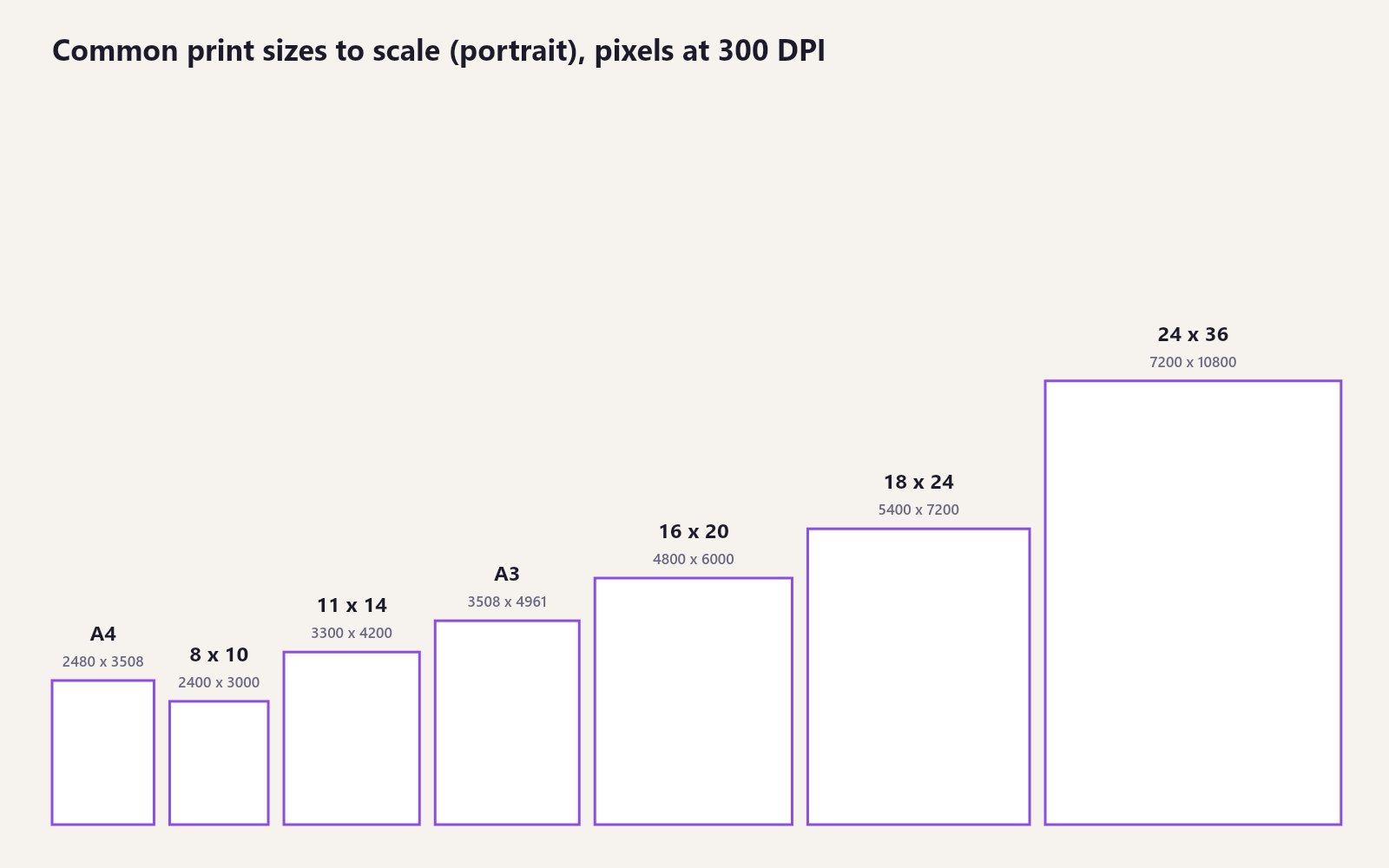 Common print sizes drawn to scale, with the pixels each needs at 300 DPI.
Key facts
- 300 DPI is the standard for sharp prints: inches x 300 = pixels.
- US and ISO sizes differ in shape. A4 and A3 are taller and narrower than 8x10 and 11x14.
- Phones cap large exports. In Shimga, phone browsers export raster files up to about 16 megapixels; computers up to 80 megapixels. SVG has no limit.
- Formats: PDF or JPG for print shops, SVG for any size, PNG for lossless files.
- Matte or satin paper keeps thin lines visible.
Size table
| Print size | Centimetres | Pixels at 300 DPI | In the Shimga editor |
|---|---|---|---|
| 5 x 7 in | 13 x 18 | 1500 x 2100 | Custom (px) |
| 8 x 10 in | 20 x 25 | 2400 x 3000 | Preset |
| A4 | 21 x 29.7 | 2480 x 3508 | Preset |
| US Letter (8.5 x 11 in) | 21.6 x 27.9 | 2550 x 3300 | Preset |
| 11 x 14 in | 28 x 36 | 3300 x 4200 | Preset |
| 12 x 12 in (square) | 30 x 30 | 3600 x 3600 | Preset |
| 12 x 16 in | 30 x 41 | 3600 x 4800 | Preset |
| A3 | 29.7 x 42 | 3508 x 4961 | Preset |
| 16 x 20 in | 41 x 51 | 4800 x 6000 | Preset |
| A2 | 42 x 59.4 | 4961 x 7016 | Preset |
| 18 x 24 in | 46 x 61 | 5400 x 7200 | Preset |
| 24 x 36 in | 61 x 91 | 7200 x 10800 | Preset |
Every preset can be switched to landscape. Digital presets are also available: phone wallpaper (1170 x 2532), Instagram post (1080 x 1350) and Instagram story (1080 x 1920).
What DPI means
DPI (dots per inch) is how many dots a printer places in each inch. 300 is the standard for sharp graphic prints. Lower values still work for big prints seen from across a room, but waveforms have thin bars and crisp edges, so 300 is worth it. The Shimga editor bakes 300 DPI into PNG files and builds PDFs at the true physical page size.
If you export SVG, the shapes are vectors, so the file scales to any size without losing sharpness. Many print shops accept SVG or PDF; if yours wants a raster, send a JPG at the table's pixel size.
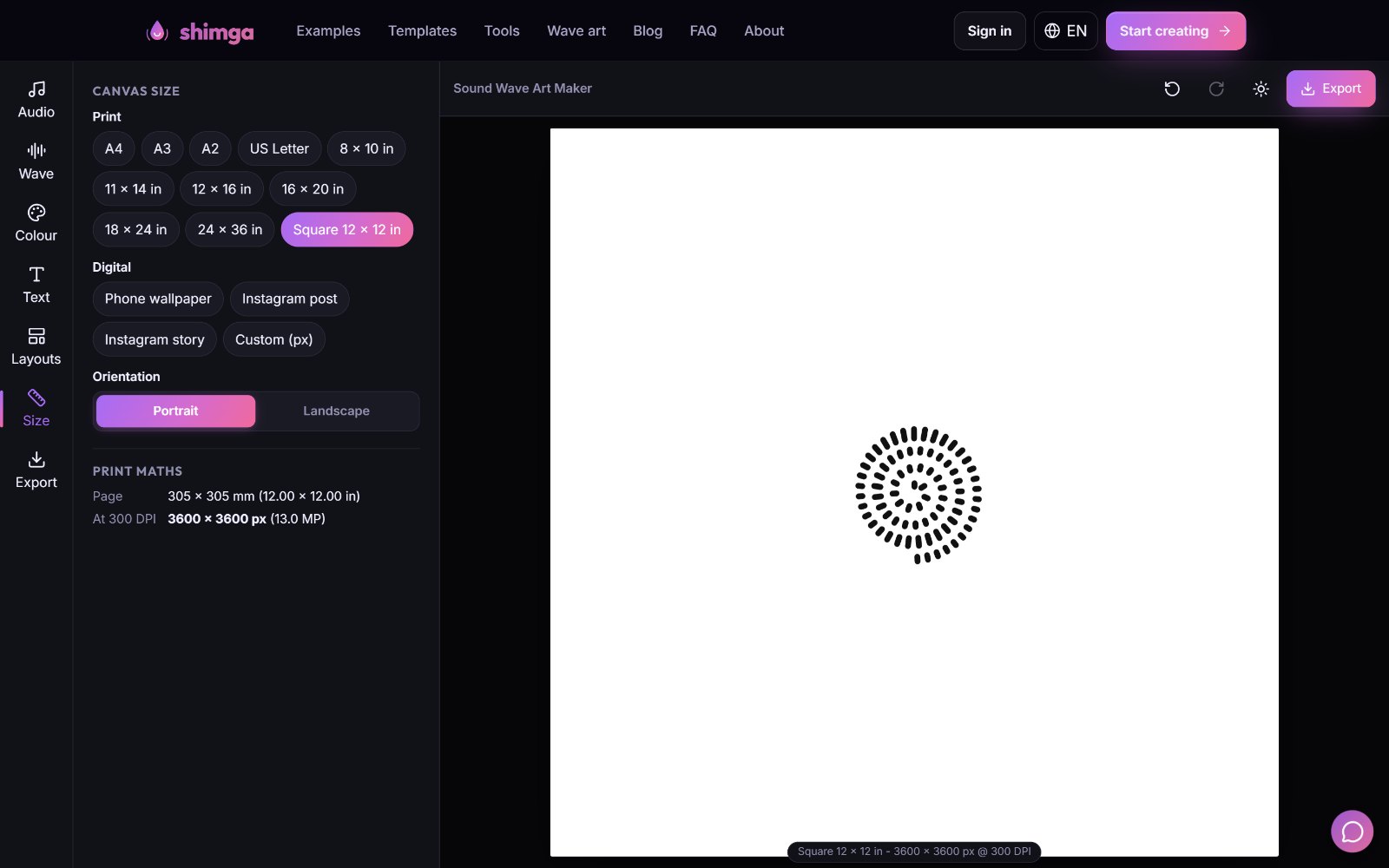 The Size tab lists every preset and the print maths for the selected size.
Start with the frame, not the file
Frames come in standard sizes. If your print matches one, you can buy a ready-made frame with a mat; if not, you pay for custom framing. A cheap trick: buy a frame one size larger and use a mat. An 8x10 print looks substantial in an 11x14 frame with a mat.
Portrait, landscape or square?
- Portrait: a wave with a title and date underneath. The usual choice for weddings, birthdays and anniversaries.
- Landscape: a long horizontal wave, such as a whole song, above a sofa or bed.
- Square: circle, heart and spiral styles. 12x12 in is a classic size.
Size by room and purpose
| Where | Size | Notes |
|---|---|---|
| Desk or shelf | 5x7, 8x10, A4 | Keep text very short |
| Nursery or bedroom | 8x10, 11x14, A3 | A heartbeat or lullaby |
| Hallway or living room | 16x20, 18x24 | A wedding song often lives here |
| Statement wall | 24x36 | A favourite song, landscape |
| Gallery wall | 3 x 8x10 or A4 | Same frame and palette, different waves |
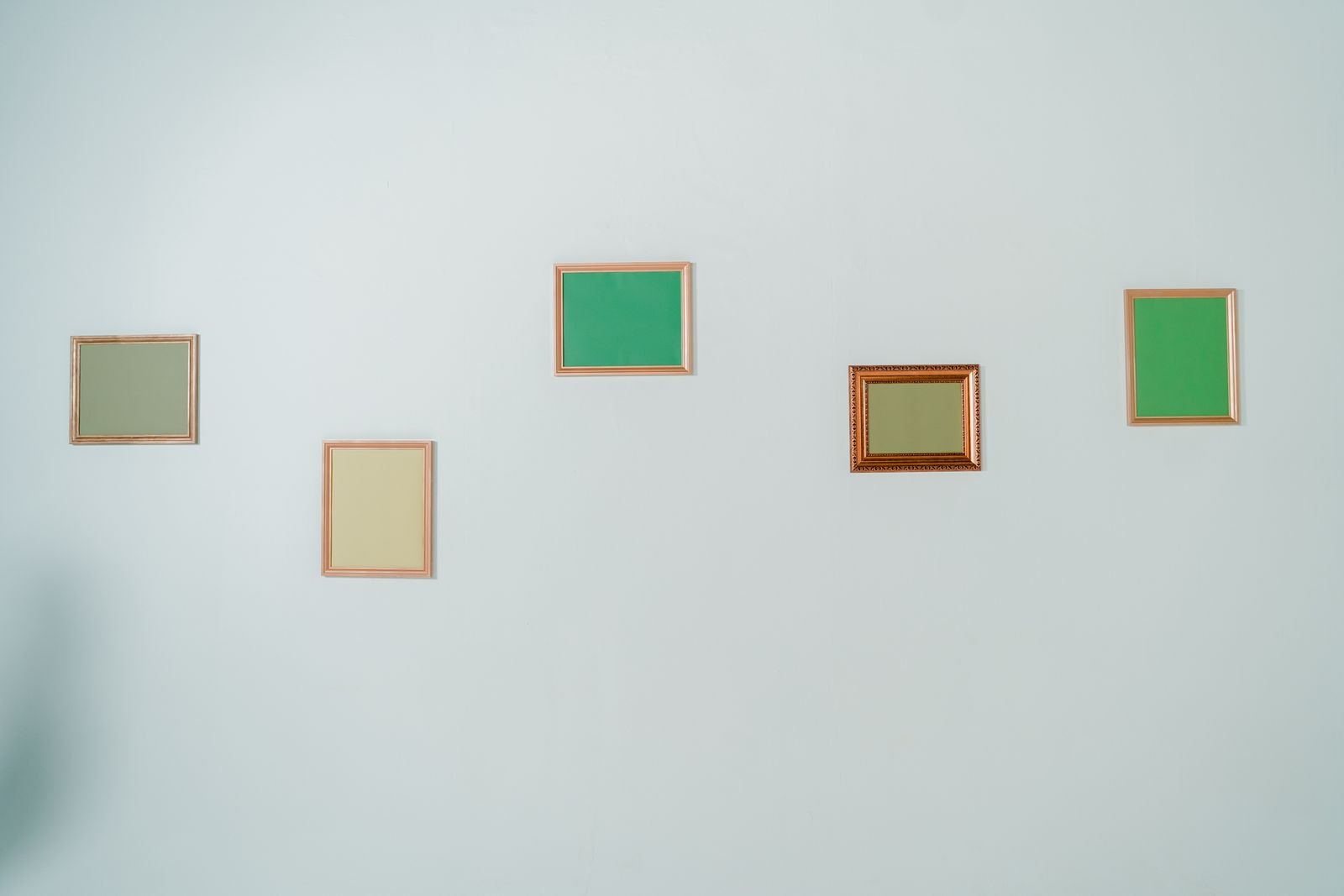 Photo: cottonbro studio on Pexels
How to set the size in Shimga
- Open the editor and add your audio.
- Design with Wave, Colour, Text or a layout.
- Open Size and pick the preset that matches your frame.
- Choose Portrait or Landscape.
- Read the Print maths panel: it shows the pixels and warns if your device will cap the file.
- Open Export, pick PDF, JPG, PNG or SVG, and download. Previews are free; a clean download is $3.99, or less in packs.
Margins and mats
Leave at least 5 percent of the width as margin on every side; some printers trim the edges. The Shimga layouts already leave space around the wave. A mat adds margin for free and makes a modest print look like a gallery piece.
Paper and finish
Matte and satin beat gloss for waveforms. Heavier paper (200 gsm or more) lies flat in a frame. Home inkjets are fine up to A4; use a print shop for anything larger. Order one proof before a batch.
Common mistakes
- Choosing the size last and then cropping or stretching.
- Using a screenshot, which is usually only about a thousand pixels wide.
- Very bright neon colours, which print duller than on screen.
- Too much text. A title, a name and a date are enough.
- Exporting a huge size on a phone and getting a capped file. Use a computer or SVG.
FAQ
What is the most popular size for a sound wave print? 8x10 in and A4 for gifts, because frames are easy to find. 11x14 in and A3 for wall prints.
How many pixels do I need for an A3 print? 3508 x 4961 at 300 DPI.
Can I print a sound wave at 24x36 inches? Yes. At 300 DPI that is 7200 x 10800 pixels. Export from a computer, or export SVG, because phone browsers cap very large images.
Is 150 DPI good enough? For a large print viewed from a distance, often yes, but thin waveform lines look crisper at 300 DPI.
What size suits a circular sound wave? A square, such as 12x12 in.
Do I need to choose the size before designing? It helps. Set the size first so the layout and text are placed for that shape.
Next steps
Open the sound wave art generator, pick the size of the frame you have in mind, and preview it. The sound wave print guide covers paper and framing in more depth.
Last updated: October 2026