Trap Nation Style Visualizer: Step-by-Step Tutorial
Update, 20 November 2026: Shimga's free exports now go up to 720p at 30 fps with a small "Made with shimga.app" watermark, and Pro elements and templates are included. 1080p to 4K, 60 fps, exports without the watermark and videos over 5 minutes need Shimga Pro or credits. Where this article mentions free 4K or no watermark, it describes the earlier free tier.
Short answer: The Trap Nation look is a circular spectrum ring on a black background with a glow, a logo in the centre and a bold title in the lower third. In Shimga Studio you can recreate it in about ten minutes with the circular spectrum, a neon accent colour, a centred logo and a text layer, then export a 16:9 MP4 at 1080p.
Last updated 21 October 2026.
What is the Trap Nation visual style?
If you browse electronic music on YouTube you know the look: a circular spectrum ring pulsing on a black background, a channel logo locked in the centre, particles radiating with the kick drum, and one line of track information at the bottom. The format works because it is economical. The ring maps audio frequencies around a circle, so bass swells on one part of the arc and detail shimmers elsewhere, and a neon glow gives the frame a sense of emitted light even as a thumbnail.
Typography follows the same discipline. A single heavy sans-serif line in the lower third, no gradients and no competing elements: the ring, the glow, the logo and the text. For a deeper look at the genre's variations, see Trap Nation style visualizer.
Photo: Divyesh Maheshwari on Pexels
Why does this style suit music channels?
- Instant feedback. The ring reacts the moment the track drops, so viewers see the motion is tied to the sound.
- Recognisable branding. Reusing the same layout and palette across uploads makes a channel familiar at a glance.
- Works in every ratio. A centred ring with text at the bottom survives 16:9, 9:16 and 1:1, so one design serves YouTube, Shorts and Instagram.
How do you recreate it in Shimga?
You can build and preview in Shimga Studio without an account, and export a standard scene without one too.
- Drop in your track (MP3, WAV, OGG, FLAC or M4A).
- Choose the circular spectrum from the presets or the templates gallery. Its bars are driven by the audio's frequency data.
- Set the background to pure black (#000000). Dark grey weakens the glow contrast.
- Pick a neon accent: purple (#9B59B6), cyan (#00BCD4) or red (#E74C3C). Use the same colour for any particle layer.
- Add glow and tune the spread so the light bleeds outward without washing over the centre logo.
- Place your logo in the middle. A transparent PNG works best; keep it at roughly 25 to 30 percent of the ring's inner diameter, and see the logo guide for the options.
- Add a text layer with the track name in a bold sans-serif such as Outfit or Montserrat, with the artist in a smaller, lighter weight below.
- Export a 16:9 MP4 at 1080p and 30 fps.
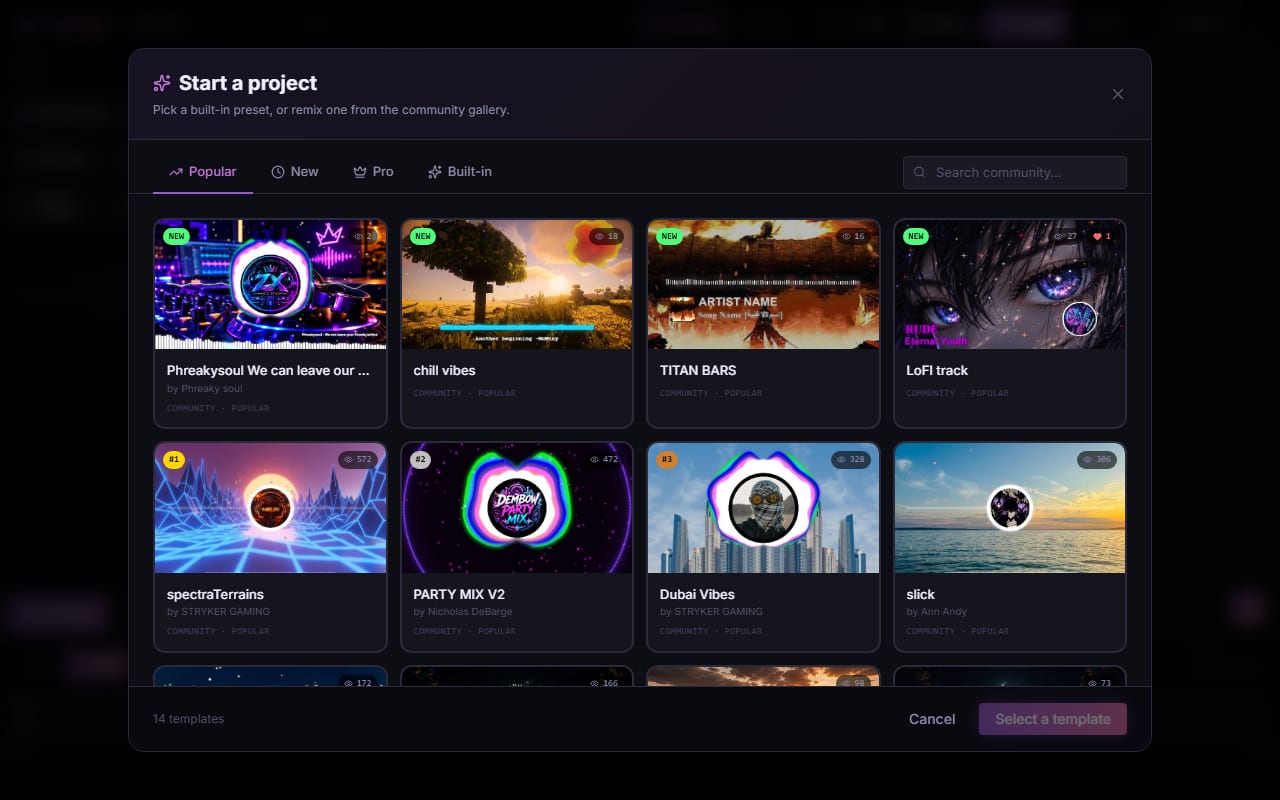
Screenshot: shimga.app
Which parts need Pro?
The classic circular spectrum, particles, text, image layers and glow settings export without paying for videos up to five minutes, currently at up to 4K and 60 fps, with no watermark. The newer Circle Spectrum and Particles V3 elements, the Pro template pack and advanced effects are Pro. You can use them in the editor, but exporting a scene that includes them needs Pro, or you can remove them. Pro costs $5 a month or $48 a year with a 7-day free trial, $3 for 6 Pro exports, or $131 + tax for Lifetime.
Which colour scheme should you use?
| Palette | Colours | Suits |
|---|---|---|
| Purple on black | #9B59B6 on #000000 | Hip hop, trap, R&B; mysterious and strong |
| Cyan on black | #00BCD4 on #000000 | Future bass, house, lofi; clean and futuristic |
| Red on black | #E74C3C on #000000 | Phonk, drill, drum and bass; aggressive |
| Gold on black | #F1C40F on #000000 | Soul and jazz-influenced trap; warmer |
For more on choosing palettes, read the colour theory guide.
Typography and logo tips
- Hierarchy first. The track name is the largest and heaviest text. The artist name is about 60 percent of that size in a regular weight.
- Keep the logo centred. A few pixels off-axis reads as a mistake against a perfect ring.
- Use a transparent PNG. A white logo on black lets the glow supply the colour.
Photo: Nothing Ahead on Pexels
How do you make it feel polished?
Smoothing makes the biggest difference. With none, bars jump instantly and look choppy; with a moderate amount they glide, which is the fluid movement viewers associate with professional visualizers. Reduce smoothing slightly on bass-heavy tracks so kicks still hit. Once one version looks right, duplicate the project, change the accent colour and export a second version. You can upload both with different thumbnails and see which performs better on your channel. See audio-reactive visuals for how reactivity is wired, and keyframe animation to add build-ups.
Frequently asked questions
Do I need to download anything to use Shimga?
No. Shimga Studio runs in your browser. You can drop in a track, customise the visualizer preview it and export the MP4 without an account.
What audio format works best for a circular spectrum?
MP3 at 320 kbps, WAV and FLAC all give similar visuals. A high-quality source keeps the high-frequency bars accurate, where heavy compression can cause erratic movement.
Can I also make Shorts and Reels versions?
Yes. Switch the canvas between 16:9 (1920 x 1080), 9:16 (1080 x 1920) and 1:1 (1080 x 1080) and export each. The ring and logo stay centred, but check the text position after switching.
Will the export have a watermark?
No. Shimga does not add a watermark. A standard scene up to five minutes exports free, currently up to 4K.
Do I need Pro for the Trap Nation look?
No. The classic circular spectrum, logo, glow and text export without Pro. Circle Spectrum, Particles V3 and the Pro templates are Pro.