Song Teaser Video: Make Promo Clips for Social Media
Song Teaser Video: Make Promo Clips for Social Media
A song teaser is a 10 to 30 second vertical video of your strongest moment, usually the hook or the drop, with your cover art, the song title and a release date or "out now". The fastest way to make one without filming is to trim the hook, put it under an audio-reactive visual so the picture moves with the music, and export a 9:16 MP4 that every short-video platform accepts.
Here is a simple workflow, a schedule for teasers around a release, and the steps in Shimga.
 Photo: Lisa Fotios on Pexels
Quick answer
- Length: 10 to 30 seconds for teasers; up to about 60 seconds for "out now" clips.
- Format: 9:16 vertical MP4 for Reels, Shorts, TikTok and Stories; 1:1 for feed posts.
- What to show: cover art, artist, title, date or "out now", and movement that hits on the beat.
- What to play: the hook or the drop, starting right on it. No slow intro.
- Easiest workflow: trim with a free audio trimmer, build the visual in the studio, export 9:16. Free with no watermark for clips up to 5 minutes (as of October 2026).
Which platforms make promotional audio clips easiest?
All the big short-video platforms accept an uploaded vertical MP4, so the platform is rarely the bottleneck. The work is making a clip that stops the scroll. A rough guide:
| Platform | Format to upload | Good for | Tip |
|---|---|---|---|
| Instagram Reels | 9:16 MP4 | Fans who already follow you | Pin the teaser to your profile |
| Instagram Stories | 9:16 MP4 | Countdown and pre-save links | Add a link sticker to the pre-save |
| YouTube Shorts | 9:16 MP4 | Discovery, links to the full video | Link the Short to the full visualizer |
| TikTok | 9:16 MP4 | Discovery | Post several different sections |
| X, Facebook, LinkedIn feeds | 1:1 or 16:9 MP4 | Announcements | Square fills more of the feed |
| Spotify | 9:16 Canvas loop, 3 to 8 s | Listeners already on the track | Uses Spotify Canvas, not a teaser |
Check each platform's current upload rules before a big campaign; limits change.
A teaser schedule around a release
| When | Clip | Message |
|---|---|---|
| 2 weeks before | Teaser 1: the hook, 15 s | "New single, [date]. Pre-save in bio." |
| 1 week before | Teaser 2: a different section | Build curiosity |
| 1 to 2 days before | Countdown story | "Tomorrow." |
| Release day | "Out now" clip, 30 to 60 s | Link to streaming and the full YouTube visualizer |
| Week after | 2 to 3 more clips from other sections | Keep the song in feeds |
One good-looking template makes all of these quick: change only the audio section and the text.
 Photo: Big Bag Films on Pexels
How to make a song teaser with Shimga
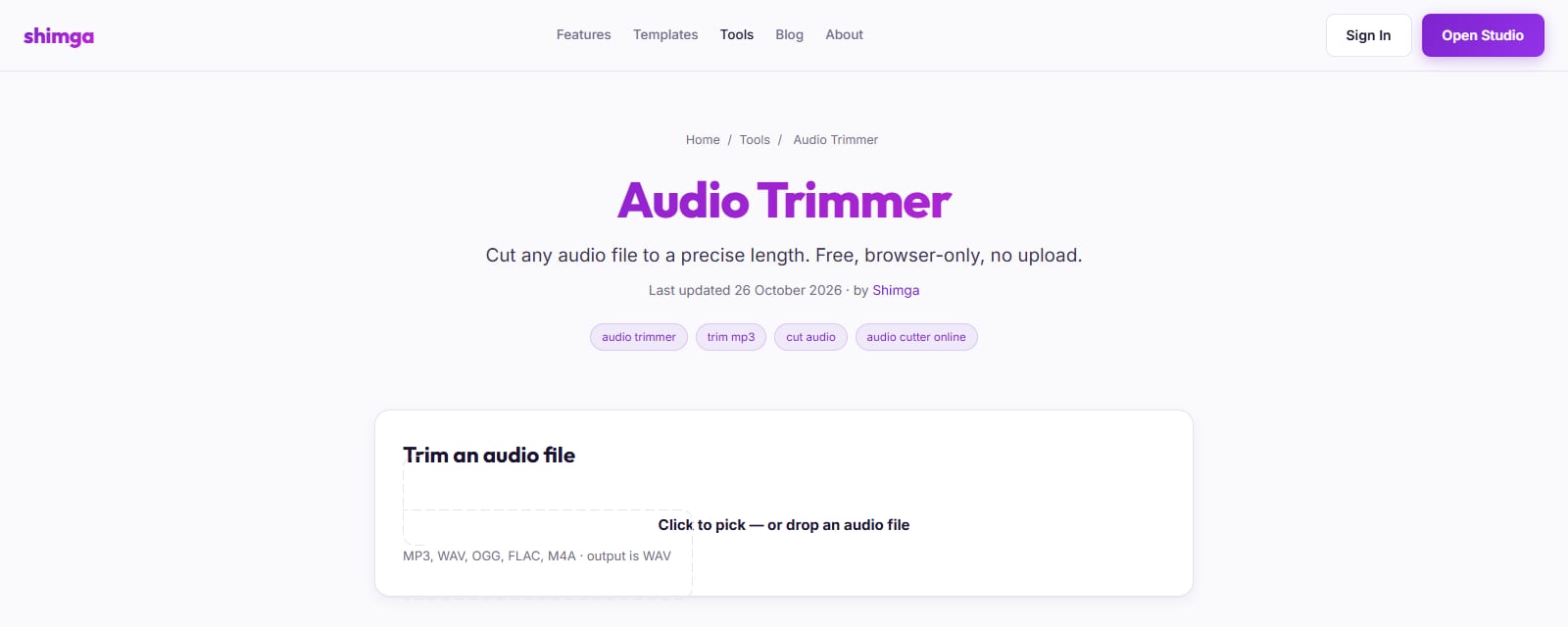
- Trim the hook. Use Shimga's free audio trimmer to cut 10 to 30 seconds, starting right on the hook. It runs in your browser; nothing is uploaded.
- Open the studio and pick a preset or template that fits the song's energy.
- Set the aspect ratio to 9:16.
- Add the trimmed audio. Every layer now reacts to the beat.
- Add your cover art, artist name and title. Put the release date or "out now" near the top, away from the platform buttons at the bottom.
- Make the first second count. A bright frame and movement right away help stop the scroll.
- Export MP4. No account and no watermark for standard exports.
- Repeat for 1:1 if you also post to feeds.
 Screenshot: shimga.app/audio-trimmer, October 2026
What makes a teaser work
- Start on the best part. Viewers decide fast. Skip the intro.
- Movement that matches the music. Audio-reactive visuals do this automatically: the kick hits, the picture moves.
- One message. "Out Friday" or "Out now", not both plus a tour date.
- Readable text. Big, high-contrast, inside the safe area.
- Consistent look. Same cover art and colours across all clips so people connect them.
- Loop-friendly end. If the last frame flows into the first, people often watch twice.
Free audio-reactive visuals for teasers
You do not need paid software for a good teaser. As of October 2026, Shimga's free tier exports up to 4K/60 fps, clips up to 5 minutes, with no watermark and no sign-up. Pro ($5/month, $48/year or Lifetime) adds premium elements and templates; you do not need it for a 20-second teaser.
Measuring which teaser worked
You do not need fancy analytics. After each teaser, note three numbers from the platform's insights: views, saves and shares. Saves and shares tell you more than views, because they mean someone wanted to come back to the song or send it to a friend. Compare sections (hook vs drop vs verse) and visual styles over a few releases, and keep doing what gets saved. If one section clearly wins, use it for the release-day "out now" clip and the Spotify Canvas too.
Teasers for an EP or album
For a multi-track release, make one template and keep it for every track: same layout, same fonts, different cover colours or track numbers. Post one teaser per track in the run-up, then a "full EP out now" clip that cuts through the hooks of each song. Viewers who recognise the template will connect the clips, and you only design once. Shimga lets you save a design as a template (signed in, private if you like), so each new track takes a few minutes.
FAQ
How long should a song teaser be?
10 to 30 seconds for pre-release teasers. Release-day "out now" clips can run to about a minute.
Which part of the song should I use?
The hook or the drop, starting right on it. If unsure, post two teasers with different sections and see which gets more saves and shares.
Which platforms make promotional audio clips easiest?
Reels, Shorts and TikTok all accept a 9:16 MP4 upload. The easiest workflow is one reusable template you export in 9:16 for all three and 1:1 for feeds.
Can I make a song teaser for free?
Yes. Trim the audio with a free browser tool and export a 9:16 visualizer from Shimga, free with no watermark for clips up to 5 minutes, as of October 2026.
Should I use the same clip on every platform?
You can, but different sections give you more chances to reach people. Keep the visual style the same.
What about a Spotify Canvas?
A Canvas is a 3 to 8 second loop that plays behind the track on Spotify. It is not a teaser, but you can make it from the same design. See how to make a Spotify Canvas.
Related reads
- Music video maker for independent musicians: release kit
- Music video aspect ratios: 16:9, 9:16 and 1:1
- Podcast visualizer templates
Last updated: October 2026.