GLSL Shaders for Music Visualization: Beginner's Guide
Short answer: A GLSL fragment shader is a small GPU program that runs once per pixel every frame; feed it audio data and it becomes an audio-reactive visual. Shimga Studio has a Custom GLSL Shader layer that follows Shadertoy conventions (iTime, iResolution, iChannel0) and adds iAudioBass, iAudioMid, iAudioHigh and iAudioAmp uniforms, so you can write or paste a shader and have it react to your track.
Last updated 21 October 2026.
What does a fragment shader do?
A fragment shader takes a pixel's coordinates and returns a colour. The GPU runs that small program for every pixel on every frame, which at 1080p and 30 fps is roughly 62 million executions per second. Because the work is parallel, shaders can produce effects such as tunnels, fractals and glowing fields that are impractical to draw with the 2D canvas API.
Photo: Al Nahian on Pexels
The shader receives uniforms: values the host sets once per frame that are identical for every pixel. For a music visualizer these are time, resolution and audio data.
Which uniforms does Shimga's shader layer provide?
Shimga's Custom GLSL Shader layer uses the same uniform names as Shadertoy, so most Shadertoy code needs only small edits. The layer compiles a WebGL 1 (GLSL ES 1.0) fragment shader.
| Uniform | Type | Meaning |
|---|---|---|
iTime | float | Seconds since the start of the track |
iFrame | float | Frame number |
iResolution | vec3 | Canvas width, height, 1.0 |
iMouse | vec4 | Present for compatibility; not driven by a pointer |
iChannel0 | sampler2D | Audio texture (see below) |
iChannelResolution0 | vec3 | Size of the audio texture |
iAudioBass, iAudioMid, iAudioHigh, iAudioAmp | float | Band and overall energy values, Shimga-specific |
How does the audio texture work?
iChannel0 is a two-row texture. The top row (y = 0.25) holds the current waveform and the bottom row (y = 0.75) holds the current spectrum, both indexed by x from 0 to 1 across the texture. To read the spectrum value at horizontal position uv.x:
float h = texture2D(iChannel0, vec2(uv.x, 0.75)).x;
The result is a value from 0 to 1 for that frequency position, which you can map to a bar height or a radius. That is a spectrum analyzer in one line. For the theory behind the numbers, see audio frequency reactivity.
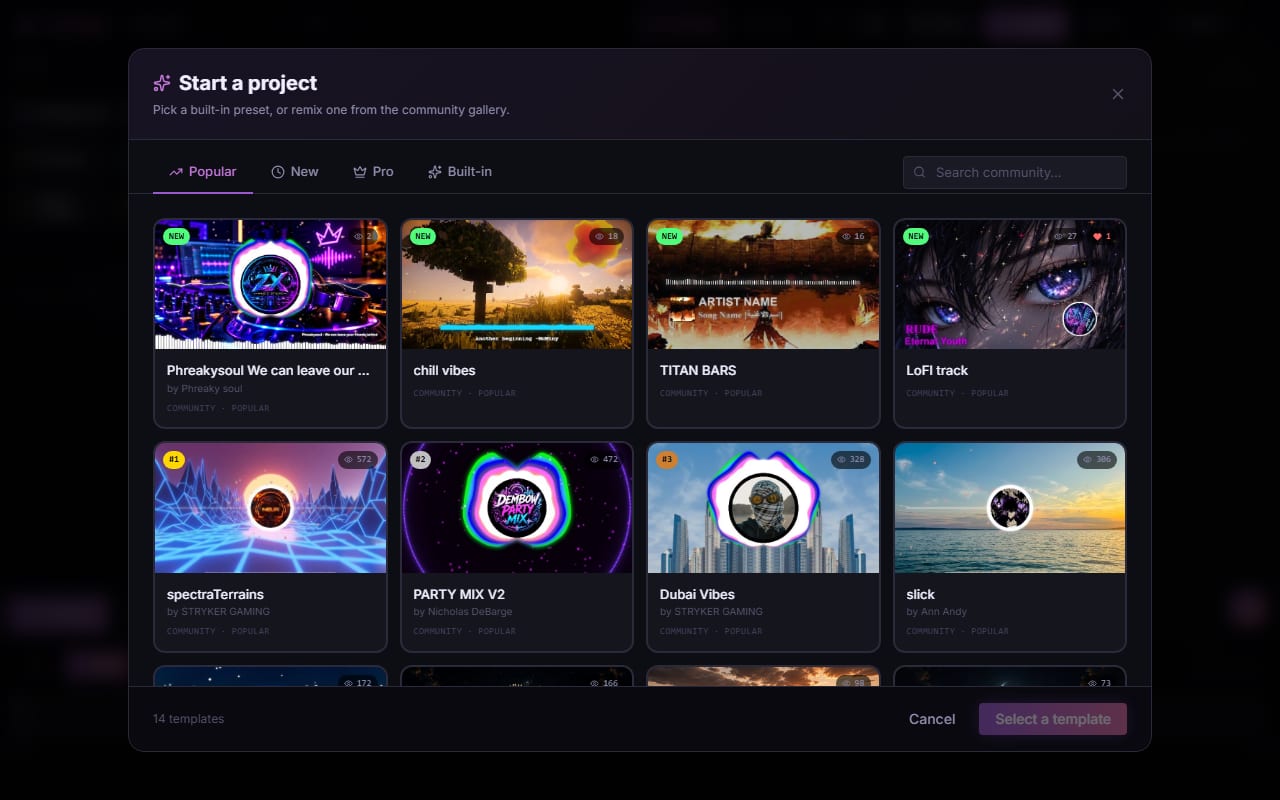
Screenshot: shimga.app
How to write your first audio-reactive shader: step by step
- Add a Custom GLSL Shader layer in Shimga Studio and load a track.
- Normalise coordinates:
vec2 uv = fragCoord / iResolution.xy;gives 0 to 1 across the screen. - Read audio: sample
iChannel0for spectrum or waveform, or useiAudioBassand friends. - Shape the output with
step,smoothstep,lengthandmix. - Press Apply in the layer's settings to compile, then play the track and adjust.
This example combines a spectrum bar chart, a waveform line and a bass-driven radial pulse:
void mainImage(out vec4 fragColor, in vec2 fragCoord) {
  vec2 uv = fragCoord / iResolution.xy;
  vec2 ce = uv - 0.5;
  ce.x *= iResolution.x / iResolution.y;

  float spec = texture2D(iChannel0, vec2(uv.x, 0.75)).x;
  float bar = step(1.0 - 0.05 - spec * 0.65, uv.y);

  float wave = texture2D(iChannel0, vec2(uv.x, 0.25)).x - 0.5;
  float waveLine = smoothstep(0.005, 0.0, abs(wave - (uv.y - 0.5)));

  float r = length(ce);
  float pulse = smoothstep(0.4 + iAudioBass * 0.4, 0.38 + iAudioBass * 0.4, r);

  vec3 c1 = 0.5 + 0.5 * cos(iTime * 0.5 + vec3(0.0, 2.094, 4.189) + iAudioMid * 3.0);
  vec3 col = mix(vec3(0.02), c1, bar);
  col = mix(col, vec3(1.0), waveLine);
  col += (vec3(1.0) - c1) * pulse * 0.3;

  fragColor = vec4(col, 1.0);
}
Which UV tricks do most shaders use?
length(uv - 0.5): distance from the centre, for radial effects.atan(uv.y - 0.5, uv.x - 0.5): angle around the centre, for circular spectrums.mod(uv.x * N, 1.0): repeat a pattern N times across the screen.uv.ythresholds: split the frame into zones, such as bars along the bottom.
Which audio-reactive patterns work well?
Punch on the bass
Use iAudioBass to amplify a motion that already exists instead of starting motion from nothing, which looks twitchy.
float radius = 0.3 + 0.05 * iAudioBass;
Hue rotation with the mids
Mids carry vocals and melody, so shifting hue with them makes the frame feel alive.
vec3 hueColor = 0.5 + 0.5 * cos(iTime + iAudioMid * 3.0 + vec3(0.0, 2.094, 4.189));
Shimmer with the highs
Use iAudioHigh for small accents such as sparkle and grain, not large shapes.
float sparkle = fract(sin(uv.x * 999.0 + iTime * 5.0) * 43758.5453);
sparkle = step(0.985 - iAudioHigh * 0.05, sparkle);
Photo: Rostislav Uzunov on Pexels
Can I use Shadertoy shaders in Shimga?
Often, with edits. Audio-reactive Shadertoy shaders usually work after two changes: remove code that samples video or image channels, because iChannel0 here is audio only, and replace any non-standard uniforms. Both platforms use GLSL ES 1.0, so the maths carries over. Respect each shader's licence and credit the author where required.
How do I keep shaders fast?
- Use constant loop bounds. WebGL 1 does not allow loops bounded by a uniform; loop to a constant and
breakearly. - Avoid needless
length()calls. It involves a square root; compare squared distances when you only need a threshold. - Cap noise octaves. A 1080p frame has about two million pixels, so expensive per-pixel noise multiplies quickly. More in performance optimization.
Frequently asked questions
What is a GLSL fragment shader?
It is a small program that runs on the GPU once per pixel each frame and returns that pixel's colour. Supplying audio data as uniforms or a texture makes the output react to music.
Which GLSL version does Shimga's custom shader layer use?
It compiles WebGL 1 shaders, which use GLSL ES 1.0, the same dialect Shadertoy uses. Write a mainImage function and use the iTime, iResolution and iChannel0 uniforms.
How do I read the spectrum inside a shader?
Sample the second row of iChannel0 with texture2D(iChannel0, vec2(uv.x, 0.75)).x. The value runs from 0 to 1 and represents the level at that frequency position.
Can I paste in a Shadertoy shader?
Often yes, after removing video or image channel lookups and any non-standard uniforms. The audio texture is on iChannel0, and Shimga adds iAudioBass, iAudioMid, iAudioHigh and iAudioAmp.
Try the Custom GLSL Shader layer
Add the layer in the studio, paste a shader, press Apply and watch it react to your track.
Open Shimga Studio →Related: audio-reactive visuals, spectrum analyzers and the template gallery.