Free vs Paid Audio Visualizers: What You Get
Update, 20 November 2026: Shimga's free exports now go up to 720p at 30 fps with a small "Made with shimga.app" watermark, and Pro elements and templates are included. 1080p to 4K, 60 fps, exports without the watermark and videos over 5 minutes need Shimga Pro or credits. Where this article mentions free 4K or no watermark, it describes the earlier free tier.
Short answer: Pay for a visualizer only when you need something the no-cost route cannot give you: higher resolution, longer videos, team features or live output. In Shimga, you can build and preview without paying, standard exports (currently up to 4K at 60 fps, up to 5 minutes, no Pro elements) have no watermark, and Pro adds longer videos, the Pro elements and Pro templates for $5 per month, $48 per year, $3 for 6 Pro exports or $131 + tax for Lifetime.
Last updated 21 October 2026.
What can you do with a visualizer without paying?
The gap between no-cost and paid audio visualizers has narrowed. Modern browsers support WebGL2, WebCodecs and hardware-accelerated canvas rendering, the technologies that once needed desktop software or cloud infrastructure. That makes it realistic to build and export a good music video from a browser tab.
Shimga Studio is an example. It runs in your browser, lets you build and preview without an account, and exports MP4 files from standard scenes without a watermark: currently up to 4K, 24, 30 or 60 fps, up to 5 minutes. You get dozens of built-in presets (waveforms, spectrum bars, particle fields, radial pulses) and full control over colours, timing and layout. Your audio file is read locally, and the render runs on your own computer; at 1080p it is often around the length of the track. Standard exports need no sign-in.
Other no-cost routes exist. Milkdrop, the classic Winamp plugin, has thousands of community presets but no MP4 export. Specterr, Vizzy, Renderforest and Headliner offer free options alongside paid plans; what those include changes over time, so check each tool's current pricing before you commit.

Photo: Jakub Zerdzicki on Pexels
What do paid plans usually add?
Paid audio visualizer plans are usually monthly or annual. Typically they add some mix of:
- Higher export resolution and frame rate.
- Removal of watermarks that appear on lower plans.
- Longer videos or more exports per month.
- A larger library of templates and effects.
- Saved brand kits, team seats or shared projects.
- Priority rendering on cloud-based services.
Some paid tools offer things that have no equivalent in a browser studio: real-time output for live streaming through OBS plugins, white-label deliverables for clients, batch rendering through an API, or guaranteed support. If your workflow depends on one of those, paying is reasonable.
What does Shimga Pro add?
| Without paying | With Pro | |
|---|---|---|
| Build and preview in the editor | Yes, every element and template | Yes |
| Export resolution | 480p to 4K (currently) | Same |
| Frame rate | 24, 30 or 60 fps (currently) | Same |
| Video length | Up to 5 minutes | Longer |
| Pro elements and templates (Circle Spectrum, Particles V3, 3D, advanced effects) | Usable in the editor; exporting them needs Pro, or remove them and export | Exports without a watermark |
| Brand Kit | No | Yes |
The prices are $5 per month or $48 per year with a 7-day free trial (card required, cancel any time before it ends), $3 for 6 Pro exports (credits, valid for a year), or $131 + tax for Lifetime (one payment, no renewals). Credits are the cheapest way to export a single Pro video.
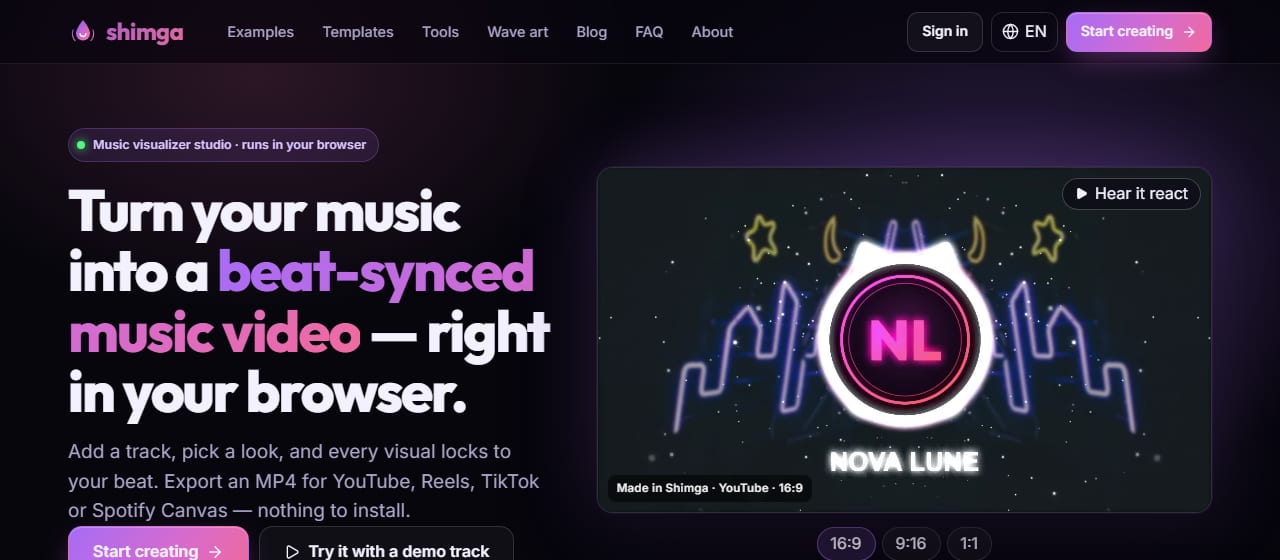
Screenshot: shimga.app
How do the popular tools compare?
Prices, limits and watermarks change often, so the table points you to the source rather than quoting numbers.
| Tool | Watermark | Resolution | Export limits | Account |
|---|---|---|---|---|
| Shimga | None | Currently up to 4K, 60 fps | No monthly cap; standard exports up to 5 minutes | No (only for Pro) |
| Specterr | See plan | See plan | See plan | See specterr.com |
| Vizzy | See plan | See plan | See plan | See vizzy.io |
| Renderforest | See plan | See plan | See plan | See renderforest.com |
| Headliner | See plan | See plan | See plan | See headliner.app |
Renderforest is a broader video platform, so it can make sense if you also want intros or logo animations. Headliner focuses on audiograms for podcast clips, which can justify a plan if you publish clips weekly. If you only need an audio visualizer, check that you are not paying for a larger toolkit than you use.
Who actually needs to pay?
- Channels with 4K output or a 60 fps look: currently free in Shimga, or another tool's higher plan.
- Agencies and labels needing white-label output and a locked brand: look for plans with brand kits and team features.
- Live production routing visuals through OBS in real time: pick tools designed for real-time output.
- High-volume publishers with dozens of videos a month: compare queue priority and batch features.
Most indie musicians, bedroom producers, podcasters, students and hobbyists need one clean export per track or episode, a handful of presets that match their look, and a fast turnaround. For that, standard exports are often enough, and $3 credits cover the occasional Pro video.

Photo: Dziana Hasanbekava on Pexels
How do you decide whether to upgrade?
- List what you need to publish: resolution, length, ratios, frame rate.
- Try the no-cost route first. In Shimga, build the whole scene and open the export dialog; it lists any Pro items before you commit.
- Name the specific gap, such as a Pro element or a 12-minute video.
- Pick the cheapest option that closes that gap: a one-off pass, a monthly plan or lifetime.
- Review after a few releases and cancel if you no longer need it.
Frequently asked questions
Is there a visualizer with no watermark on standard exports?
Yes. Shimga Studio exports standard scenes (currently up to 4K at 60 fps, up to 5 minutes, no Pro elements) without a watermark and without a monthly export cap. Other tools vary by plan, so check each one's current terms.
What does a paid visualizer plan cost per year?
It depends on the tool and tier, and prices change; check each tool's pricing page. Shimga Pro is $5 per month, or $48 per year, or $131 + tax once for Lifetime.
When does it make sense to pay for a visualizer?
When you have a specific need the no-cost route cannot meet: Pro elements or templates, videos over 5 minutes, real-time streaming output, white-label deliverables or shared team workspaces.
Can I try Shimga Pro features before paying?
Yes. Every Pro element and template can be used in the editor and preview. Payment is only needed at export.
Build it first, decide later
Open the studio, make your scene, and see what the export dialog says.
Open Shimga Studio →Related: audio visualizers compared, audio visualizer software explained and community templates.